666H login should take about 15 seconds — open the app, enter your phone number and password, tap Login. Most days it’s exactly that simple. This guide exists for the days it isn’t: a forgotten password, a locked account, an OTP that won’t arrive, or logging in from a new phone after switching devices.
Every login scenario is covered here — Android, PC browser and iPhone Safari, each with their own steps, plus the fixes for the specific problems Pakistani players run into most often.
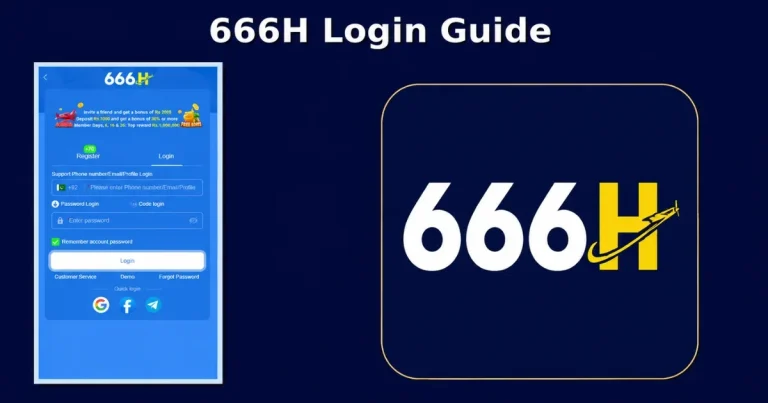
666H login Methods at a Glance
| Method | What You Need | When to Use It |
| Phone Number + Password | Registered number, password | Standard login, every day |
| Username + Password | Username set at registration | If you created one and remember it |
| OTP Login | Phone number only | Forgotten password, quick access |
| Forgot Password Reset | Phone number or email | Password genuinely lost |
Logging In on Android
The Android app is where most Pakistani players access 666H.
Steps
Successful login drops you straight onto your dashboard — balance, bonus status, game history all visible immediately. Most Android devices keep you signed in between sessions unless you log out manually.
Logging In on PC
No emulator needed for basic login and play — a browser is enough.
Steps
Everything works through the browser — deposits, withdrawals, game access, bonus claims. An emulator is only useful if you want the full native app feel on a bigger screen.
Logging In on iPhone
No dedicated v666H iOS app. Access runs through Safari.
Steps
Add the site to your home screen for faster access going forward: tap Share in Safari, select Add to Home Screen. From then on it opens like any other app icon.
Resetting a Forgotten Password
The most common reason players get stuck at the login screen. Fixable in about two minutes.
Reset Steps
If the OTP is slow: wait a full minute before requesting another, switch between mobile data and Wi-Fi, and check your SMS inbox isn’t full — a full inbox silently blocks new messages on some phones.
What Happens When Your Account Gets Locked
Five or more wrong password attempts triggers a temporary lock — the account shows as unavailable for 30 minutes. Every additional wrong attempt during that window extends the lock further, so stop trying and either wait it out or reset via Forgot Password instead.
If the account is still locked after 30 minutes with the correct password, that’s not a temporary hold anymore — it’s a suspension, usually tied to a verification or security flag. Contact support through official live chat. Suspended accounts need manual review to restore.
666H login In Without a Password — OTP Login
Some app versions let you skip the password entirely. Enter your phone number, receive a one-time code, and use that to log in directly. This exists specifically for situations where you’ve forgotten your password and haven’t gone through a reset yet — it gets you back in immediately without the reset flow.
Look for this option on the login screen, usually positioned near or below the standard password field. If your version doesn’t have it, Forgot Password achieves the same outcome.
Logging In From a New Phone
Switching phones or reinstalling the 666H app doesn’t affect your account — everything is stored server-side. Download the app on the new device (or open the site if it’s a browser login), enter your existing phone number and password, and you’re back in exactly where you left off.
If your old device is still logged in and you no longer have access to it — lost, stolen, sold — change your password immediately after logging in on the new device. This forces the old session out and protects the account.
Keeping Your Login Secure
Use a password unique to 666H: Not shared with JazzCash, EasyPaisa or any other account. One compromise elsewhere shouldn’t reach your gaming balance.
Never share your OTP: Support never legitimately needs it. Anyone asking for it is attempting an account takeover.
Log out on shared devices: An unlocked phone with an active session is a direct line to your balance and linked wallets for anyone who picks it up.
Access only through the official site: Type the address directly rather than clicking search results or links from messaging apps — avoids phishing pages entirely.
Login Problems — Quick Fixes
Wrong Password Keeps Showing
Check CAPS LOCK on PC keyboards. Tap the eye icon to confirm you’re typing what you think you’re typing. If you have more than one registered number, make sure you’re using the right one. When in doubt, reset rather than keep guessing.
OTP Not Arriving
Wait a full 60 seconds before requesting a new one. Confirm your SIM has signal. Switch between mobile data and Wi-Fi. Check your inbox isn’t full. If it still doesn’t arrive after two attempts, try again later or contact support.
Page Won’t Load
Test your connection on another site first. If the page loads but shows blank, clear your browser cache. If the whole site appears down, check official social channels for maintenance updates.
App Crashes on Login Screen
Almost always an outdated app version. Download the latest APK from the official site and reinstall — this usually resolves it immediately.
Conclusion
Logging in to 666H is a non-event most of the time — phone number, password, done. When it isn’t, the fix is almost always one of the ones above: reset a forgotten password, wait out a temporary lock, or grab a fresh APK if the app’s misbehaving. Keep your password unique, log out on shared phones, and always reach the platform through the official site directly.